Compare IBO Player Plans for Streaming Features and Costs
A new streaming device can feel wasted when channels never appear. IBO Player is a media player app; access to channels and video depends on a playlist or paired service. That distinction matters when comparing plans, since an app license may not include the content viewers expect.
For UK households, the right choice depends on more than a headline price. Device compatibility, term length, the number of included streams, and content rights all affect whether an offer fits. A plan that works on one television may not suit a household watching in several rooms, and picture quality also depends on the service and connection.
Separating the player from the content subscription makes the cost easier to judge. The comparison ahead focuses on what each offer activates and what viewing access it includes, so readers can weigh short terms against longer commitments. The next section clarifies what an app license does and does not include.
What Do IBO Player Plans Include?
An IBO Player license enables use of the player app, but it does not provide channels, movies, or series by itself. Viewing also requires a compatible playlist or content service.
A playlist is a file or set of login details that tells a media player which channels and on-demand videos it can access. That playlist supplies the viewing options; the app plays them.
The player app and an IPTV subscription are different
The app includes a seven-day trial. After the trial, activation is linked to the device’s MAC address through the IBO website. Users then add playlist details to access content. A MAC address is a device identifier, not a password or payment credential.
An IBO Player premium license and an IPTV subscription are separate purchases unless an offer clearly combines them. The app license covers the player’s use, while the IPTV subscription provides access through a provider’s playlist. Paying for one does not automatically pay for the other.
This difference can be easy to miss in an offer described simply as a “plan.” Check whether the listed service includes app activation, a playlist, or both. A bundled payment can cover multiple items, but the offer should state its term and each included part clearly.
What bundled offers may add
A bundle may pair app activation with an IPTV subscription, or include a playlist with a stated period of access. The exact package varies. Read the term for each part separately: lifetime app activation, for example, does not mean lifetime access to channels.
The search phrase “IBO Player playlist free” can refer to different things. A free app trial is not the same as free channel access, and a playlist that costs nothing is not automatically authorized or dependable. Check who operates the service and what rights it has to distribute its content.
Free access can also come with limited support, interruptions, or unclear renewal terms. Treat those as questions to resolve before relying on a playlist for regular viewing. Knowing what a license and any bundle actually cover makes the listed prices and terms easier to compare.
How Do the Listed Plans Compare on Price and Term?
The examples include both euro-priced and pound-priced offers, with different terms and bundle contents. They are separate third-party offers, not interchangeable tiers in one standard price list.
Price alone does not show what a payment activates. Compare the months of IPTV access, app activation, and allowed connections as separate items, then check the terms at checkout.
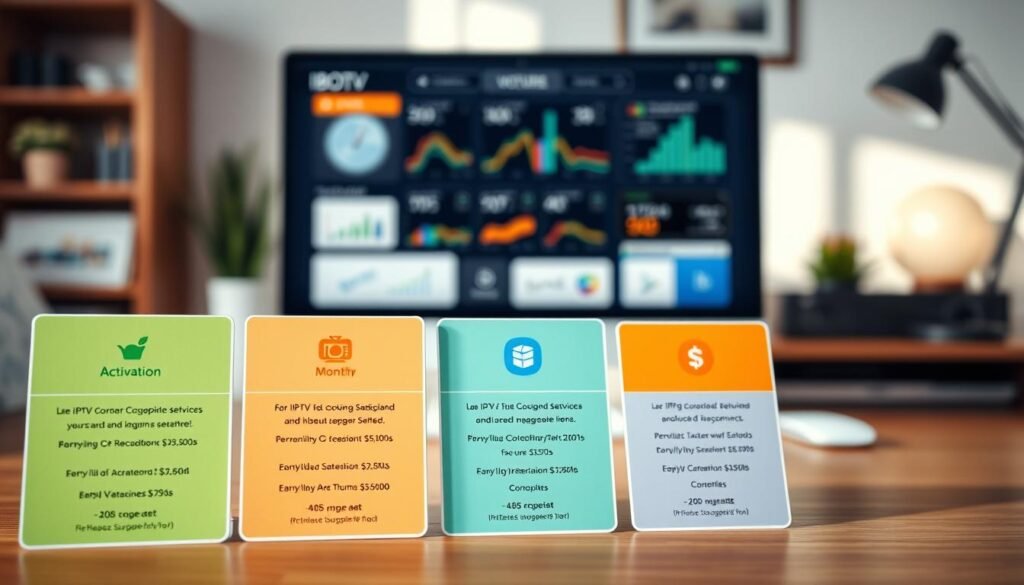
Euro-priced examples
One euro-priced offer lists €11 for one month, €24 for three months, €39 for six months, and €59 for 12 months. Each listed term is for one device. These amounts describe that offer only; they do not set a standard price for every app license or IPTV subscription.
The same offer pairs its six-month option with 12 months of IBO Player activation. Its 12-month option includes lifetime activation. Those activation months describe the player license, not necessarily the length of IPTV access. The distinction matters when a bundle combines items with different terms.
Pound-priced examples
One pound-priced offer lists £12 for one month, £25 for three months, £40 for six months, and £60 for 12 months. Its £85 Super Bundle includes 12 months of IPTV, lifetime IBO Player activation, and three connections. The connection count is a package feature, not a promise about every offer.
A separate pound-priced offer lists £17.99 for one month, £29.99 for three months, £39.99 for six months, and £59.99 for 12 months. Its 12-month option includes a one-year IPTV player. That description should not be assumed to mean the same thing as lifetime activation or a separate IPTV subscription.
Providers, currencies, content, and included features vary, so the same number of months can cover different things. Longer terms may combine app activation and content access, while shorter plans may list only one part. Compare the stated price with the exact access period and connection allowance, rather than assuming similar prices represent equal value.
Before making an IBO Player payment, confirm the recipient, currency, renewal terms, and what the payment activates. UK Competition and Markets Authority guidance on consumer contract terms explains why clear terms matter, including where automatic renewal applies. These details help narrow the choice before checking whether it suits the device and connection.
Term labels such as “lifetime” need a clear subject: they may describe app activation, not the provider’s servers or channel access. Keep a copy of the checkout description and confirmation, especially when a bundle separates IPTV months from activation months. The practical checks for a device, connection, and concurrent streams come next.
What Do You Need to Activate IBO Player on a Device?
Before paying for a longer term, check the exact TV model and the number of concurrent streams the offer allows. A compatible app and a suitable connection are both needed for playback.
Listed device types include Smart TVs, Fire TV devices, Android, iOS, PC, and MAG devices, but compatibility is not guaranteed for every model or app version. Check the exact app listing and instructions for the device you plan to use.
Check device and connection compatibility
Installing a player on several devices does not necessarily allow concurrent viewing on all of them. One listed service permits installation on multiple devices but allows only one active stream on a standard subscription. A stream is one video playing at a time, so two rooms watching separately need two concurrent streams.
Check these details before choosing a term:
- Exact device model and operating system
- App source and version
- Stable internet connection
- Number of concurrent streams allowed
A weak or busy connection can interrupt playback even when an app opens correctly. Test the same network and screen the household will use most often. If sports or live channels matter, check the stream limit for peak viewing times, not just when one person is watching.
Install the app and add a playlist
The general setup is straightforward: check the device’s app listing, install from an official or trusted source, add the playlist details, and test playback. Common playlist access formats include M3U files and Xtream Codes login details. Use the format supplied for the service rather than guessing at account information.
To IBO Player activate, the app’s activation process links the license to the device’s MAC address through the IBO website. Enter details only in the intended app or activation page. Never share banking passwords or one-time codes with a seller or support contact.
Searches for “Ibo Pro Player download” or “Ibo Player Pro TV” may show similarly named apps. A familiar name alone does not prove an app is official or right for a particular television. Compare the publisher, device listing, version, and instructions before installing, then test a channel and an on-demand video.
Keep the activation details and provider support contact somewhere private, but do not send account credentials through public messages. If playback fails, note whether the app opens, the playlist loads, or the video starts. That simple distinction can help support identify the issue without exposing sensitive payment information. Once setup works, assess the content source and household risks before subscribing.
Is an IBO Player Subscription Safe and Suitable for Your Household?
Safety depends on the app’s source and the content provider’s authorization and practices. A player cannot confirm that a provider has permission to distribute its channels, sports, movies, or series.
The app itself and the content source have separate roles. Copyright-protected streams require authorization for distribution; installing a player does not establish that a playlist or provider has the necessary rights.
Check content rights and provider transparency
Legality depends on whether the provider is authorized to distribute the content it offers. A playlist showing popular live channels or sports is not proof of permission. The University of Oxford’s copyright guide explains that sharing protected work generally needs permission, a license, or an applicable exception.
Check whether the provider identifies the business responsible for the service, explains what its package includes, and offers a clear way to contact support. Be cautious when the offer promises a large selection of premium sports, movies, and series but gives no clear provider details or rights information.
Searches for “Ibo Player Pro APK” and “IBO Player APK” can lead to files with similar names. An APK is an Android app installation file. Its name alone does not prove it is genuine or safe, so check the publisher and download source before installing.
Match the term and access to household needs
A short plan or test period can reveal whether the channels load reliably, the picture quality suits the screen, and support responds when needed. Longer terms are a poor fit if the household has not tested the service. Read renewal and cancellation terms before paying, especially where access renews automatically.
Use this checklist before committing:
- Provider identity and contact details
- Clear content and renewal terms
- Secure payment that never requires banking passwords or one-time codes
- A short trial or test before a long commitment, where available
Sports-heavy homes should confirm in writing how many concurrent streams the subscription allows. A single active stream may not cover a match in one room and a separate programme in another. Ask how support handles interruptions and what response process the service provides.
Households watching across several rooms should also match the stream allowance to their routine, rather than counting only installed devices. Providers and servers can differ in reliability, and a plan’s connection count should not be confused with guaranteed picture quality. Check the terms for the particular service being offered.
Clear payment details and renewal wording make it easier to judge whether an offer fits. The UK Competition and Markets Authority guidance notes that hidden or unfair contract terms can raise consumer concerns. Make the final choice only after confirming content rights, payment and renewal terms, and the household’s viewing needs.
Conclusion
Test the service first, then choose a term that matches the household’s actual viewing needs. An app license and a channel subscription are different unless a bundle clearly includes both, so compare the promised access with the price and term.
Try playback on the intended device before committing for a year. Confirm the concurrent stream count, renewal terms, and content rights, and make sure the connection can handle the viewing routine. A seven-day app trial does not necessarily test a separate IPTV subscription.
Before completing payment, verify the app publisher and read the exact bundle terms, including what activates and for how long.