IPTV Mexico: Channel Options and Pricing Explained
IPTV Mexico can mean free official streams or a paid subscription, and the right fit depends on licensed content, the channels wanted, and clear terms. Choosing a service for use in Mexico can feel personal: a familiar local program may be part of a household’s daily routine. A price matters only beside the content rights, channels, and connection limits it includes. The app and the content source are separate, so installing a player does not provide television access. An M3U playlist is a text file or URL that organizes channel-stream links for a compatible IPTV player. This guide helps viewers compare access options and identify the details that affect a practical choice. Check what is included, which devices can play it, and how the service handles stream limits. Treat a large channel count as a claim to verify, not proof that the service is licensed or reliable.
Free Streams and Paid IPTV Packages
Mexican TV is available through official broadcaster streams and, where rights permit, paid channel packages. Viewers can watch Mexican TV by checking official broadcaster streams first, then considering a licensed subscription for channels or on-demand programs unavailable there. An IPTV player is an app that organizes and plays content; it does not supply channels by itself. A broadcaster or provider supplies the content access.
Free-to-air broadcasts and official streams
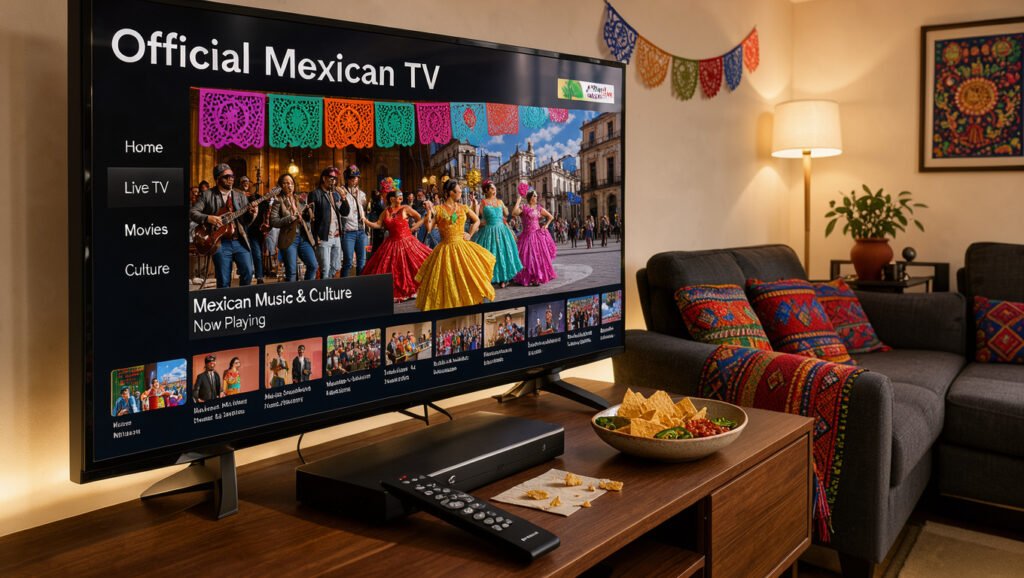
Free-to-air access means a broadcaster makes a program available without a paid package. This may be a live stream on the broadcaster’s own site or app. The stream can still have limits. A rights holder may restrict it by territory, or an event may be available only in certain countries.
That distinction matters when a channel link appears in a search result or playlist. A public page can provide legitimate access for its intended audience, but the stream may not work outside its permitted area. Check the broadcaster’s own viewing terms and the location rules shown with the stream. A free service can also show only selected programs rather than a full channel schedule.
Subscription packages and provider access
A paid package gives access under the provider’s subscription terms. It may combine live channels with a catalog of films or series, but the provider must have the relevant distribution rights. The player remains separate: it reads access details supplied by the provider and displays compatible content.
A paid option may suit a viewer when official streams do not carry the desired channels or on-demand catalog. Compare the actual access included rather than assuming every online channel list is authorized. Some official streams are restricted by location, even when the broadcaster’s page is publicly reachable. Check whether an official stream is restricted by location before assuming it will play wherever the viewer is.
What Channels Can IPTV Mexico Include?
A useful lineup check starts with the Mexican channels a viewer actually watches, not the provider’s total channel count. A package may contain national networks, regional feeds, news, culture, and entertainment, but names in a lineup do not guarantee the same channel version. A public Mexico-tagged sample names Las Estrellas, Canal Once, MVM Noticias, RCG 3 Saltillo, TeleFormula, Quiero TV, México Travel TV, and Tele 10 Nayarit.

These names are examples, not a promise that every provider carries them. National channels may serve broad audiences, while regional stations can focus on a city or state. News feeds may carry local reporting, and culture or travel channels may appeal to specific interests. Entertainment channels can offer general programming, films, or series, depending on the feed and schedule.
Some services list channels from several countries alongside Mexican channels. That can be useful for households with international viewing needs, but it makes the headline number less meaningful. Check each desired channel by name and confirm whether the lineup identifies a national or local feed. A network’s name alone may not show which programs or regional version the package carries.
Language, local schedules, and picture quality can differ between packages. A listing for Tele Mexico identifies Spanish-language programming, SD resolution at 480i, and the America/Mexico_City time zone. SD at 480i is not a 4K feed, even if the service advertises other content in higher resolution. A channel’s listed format is a practical detail, especially on a large television.
A channel may also change names, move to a different feed, or appear with incomplete program information. Ask whether the lineup describes the stream currently available, rather than relying on a general network logo. If a household watches a particular regional station, a national version may not be an adequate substitute. Confirm the exact channel and feed, since a network name alone does not establish which version is included.
Sports, Movies, and Series Rights
Sports access depends on the rights for the specific competition or event, not just the number of sports channels in a package. A channel’s ordinary schedule and the rights to a separately licensed live event are different. A channel can appear in a lineup while a particular match remains unavailable.
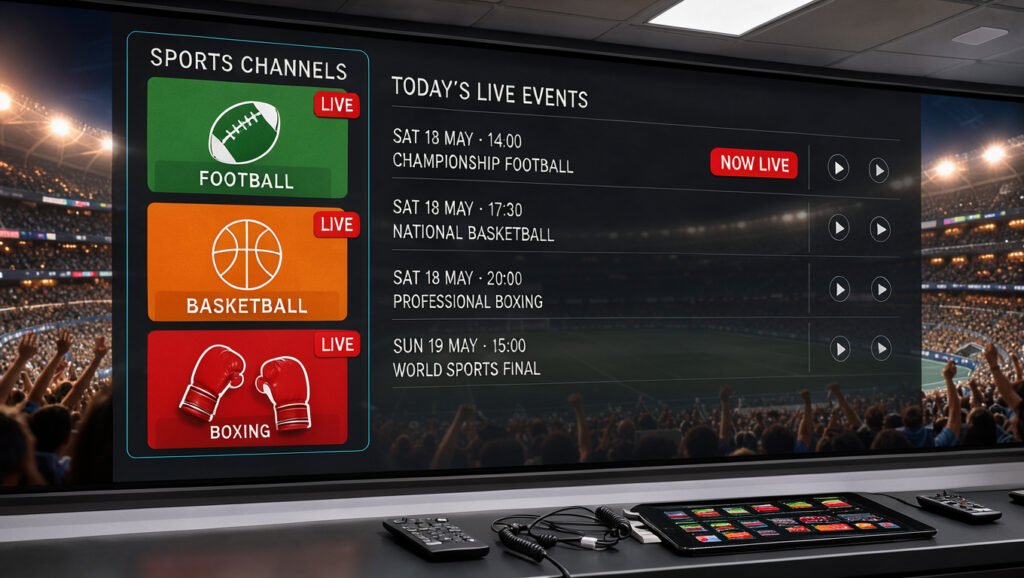
Sports rights may be split among broadcasters, platforms, territories, and dates. A package with several sports channels does not establish access to every league match. Before choosing a plan, identify the team, competition, event, and viewing date that matter. An event listing alone does not show that the provider has permission to stream it.
Pay-per-view events can have separate access rules from regular channel programming. A provider might carry a sports network but not the network’s separately licensed event. This is why a broad promise of sports coverage can leave a household without the match it expected. The exact event and territory matter more than a general sports label.
Movies and series also need a separate check. A video-on-demand catalog, often called VOD, contains titles viewers select rather than a live channel schedule. The titles available can differ from the movies and series shown on a linear channel. Look for the specific film or series, its language options, and whether the listing refers to on-demand viewing or a scheduled broadcast.
Availability can change as rights expire or move between services. A package that includes a channel today may not carry the same event next month. The household should compare the next planned viewing with the access actually described. Verify the next event the household plans to watch before paying for a longer term.
Compare IPTV Subscription Pricing and Terms
Compare the amount due now and at renewal, along with the number of streams included, rather than comparing a headline monthly figure alone. The price depends on the provider’s billing period, connection allowance, and included content. An IPTV subscription may be offered for one month or several months, with different total charges and commitments.
A shorter term can limit how long a household is committed, while a multi-month plan may require more money upfront. The total due can also change with concurrent connections or optional add-ons. A low first-period charge may not match the later renewal amount, so the first payment alone does not show the plan’s ongoing cost.
Before paying, write down these details:
- Total charged today, including taxes or other listed charges.
- Renewal amount and the date the next payment is due.
- Number of concurrent connections included in the plan.
- Extra fees for add-ons or additional active streams.
- Written refund conditions and any stated eligibility limits.
Concurrent connections refer to streams that are active at the same time, not simply the number of devices on which an app is installed. A household with several televisions may need more than one simultaneous stream, even when the account works on all of them. Confirm whether the plan counts active playback sessions or registered devices.
Renewal, cancellation, and a money-back guarantee are separate terms. A refund promise matters only when the written conditions explain the time limit, process, and exclusions. Check whether cancelling stops future renewal or also ends current access. Save the stated renewal and refund conditions before completing payment.
Is IPTV Legal in Mexico?
IPTV is a way to deliver television over the internet, and legality turns on whether the provider has rights to distribute the content. IPTV technology itself is not automatically illegal. A provider needs permission to distribute protected channels, films, series, or events in the territories where it offers them.
Licensed distribution and content rights
Mexico’s Federal Copyright Law governs copyright protections. The relevant rights may belong to a broadcaster, studio, sports organization, or another rights holder. Permission to show a program in one country does not automatically establish permission to distribute it in Mexico. The rights must cover the content and territory involved.
Viewers can look for the identity of the rights holder or authorized distributor and clear service terms that explain what the package provides. A legitimate service should be able to describe its content access and the regions it serves. A low price alone does not prove that a provider is unauthorized, just as a polished app does not prove that it has rights.
Warning signs that call for a closer check
Be cautious when a service cannot identify who supplies its channels or gives vague answers about distribution rights. A very large catalog, unclear ownership, and terms that do not explain the content source deserve closer attention. These signs are reasons to ask questions, not a final legal ruling about a particular service.
A publicly reachable stream is not automatically authorized for redistribution. A broadcaster may make a stream available on its own site while retaining control over who can retransmit it. A working URL proves only that a stream can be opened at that moment. It does not establish a third party’s permission to package or resell it.
Copyright rules can be complex, especially when a dispute involves a particular program or provider. This general explanation is not legal advice. A viewer facing a specific dispute should consult a qualified Mexican legal professional. Do not treat public availability, a free offer, or a large catalog as proof of permission.
Free IPTV and Free-Trial Limits
Free IPTV in Mexico may mean an official free stream, a playlist of public URLs, or a limited trial, so check which one is being offered. These options are not equivalent. A rights holder’s free-to-air stream can provide ongoing broadcast access, while a provider’s free trial is temporary access that may expire or have conditions.
A community playlist may gather links to streams that are publicly reachable. That does not mean the playlist has a connection to the channel owner or permission to redistribute its programming. Its links can also stop working without notice. The source of access matters more than the word “free” in a listing.
A trial can let a viewer try a provider’s service for a limited period. The offer may require payment details, end automatically, or renew as a paid subscription. A trial can also use different credentials or content limits from a full subscription. Do not assume its channel lineup or access rules match a later plan.
Before starting a free trial, check its length, what payment details are required, whether it renews automatically, and how cancellation works. Keep track of the expiry date and any cancellation deadline. A trial that requires payment information deserves the same attention to renewal terms as a paid subscription.
Official streams can be useful for regular viewing when the broadcaster makes them available. They may still be limited by territory or event rights, so access can differ by location and program. A trial is a temporary test of one provider’s offer, not a permanent free channel package. Confirm the trial’s expiry and renewal conditions before entering payment details.
M3U Lists, Channel Links, and Program Guides
An M3U playlist is a text file or URL that organizes stream links for a compatible player. It tells the IPTV player where to look for channel streams; it does not itself create or host the content. IPTV channel lists for Mexico may include links to public streams, but a list does not guarantee that each channel will work.
An EPG, or electronic program schedule, displays program information for channels. It can show titles and times beside a channel list, helping viewers see what is scheduled. The playlist and the EPG are different pieces of information. A player may load channel links without matching schedule details, or display a guide that is incomplete.
The public project iptv-org provides M3U playlists of user-submitted links to publicly available live-stream URLs. Its electronic program guide covers most listed channels. “Most” does not mean every channel, and user-submitted links can change or become unavailable. The presence of an EPG entry is not a guarantee of a complete or current schedule.
Check channel names and stream links against the broadcaster’s official information. A working URL is not proof of authorized use, and a public stream may have restrictions on territory or redistribution. A playlist can be useful for organizing accessible links, but it cannot confirm that a third party has permission to sell them.
Channel lists may use different labels for the same network or omit local feeds. A player might also display duplicate entries when several URLs point to similar streams. Before relying on a list for daily viewing, check whether the channel owner provides an official stream and whether the listed program times match the expected schedule. Check the channel owner’s official stream and rights before relying on a third-party playlist.
Choosing an IPTV App and Player
An IPTV player is software for organizing and playing a content source, not a television package by itself. Apps such as IPTV Smarters, TiviMate, and VLC are examples of player software, not rankings or endorsements. The provider or broadcaster supplies the content access that the player displays.
A player may accept an M3U URL, Xtream Codes API credentials, or both. These are different ways to load content access. An M3U URL points to a playlist, while an Xtream Codes API login usually uses a username, password, and server address. The method must match what the provider supplies.
For an IPTV app APK for Mexico, APK means Android application package, the installer file format used by Android. An APK is not a channel package or subscription. A player’s official availability depends on the device and operating system, so the same app may not appear in every device’s app store.
Choose a player that works on the intended television, streaming device, phone, or computer. Check whether it supports the required playlist or API login before installing it. Some apps also provide options for sorting channels or showing EPG data, but the player cannot add programming that the content source does not include.
Device compatibility and login format are practical selection points. A player designed for a remote control may feel different from one built for a touchscreen. Avoid assuming that a provider’s directions will match every app’s menus. Match the player’s supported login method to the credentials the provider actually supplies.
Set Up IPTV on TVs, Phones, and Computers
Setup usually requires a compatible player and either an M3U URL or the provider’s login credentials. The general process is to install the player, open its playlist or login screen, enter the supplied access details, and test a channel and EPG. Menus differ by device and app.
Smart TVs and streaming devices
Smart TVs may let users install a player through the television’s app store. A TV’s store may not carry the same player as a connected streaming device, so the setup options can differ. Fire TV and Android streaming devices also use their own app screens and remote-control steps.
After installing a compatible app, choose its add-playlist or login option. Enter the M3U URL or the supplied Xtream Codes API username, password, and server address. Some providers send these details by account page or message, and activation within minutes is possible once the credentials arrive and the app is configured.
Phones, tablets, and computers
Android and iOS devices, Windows computers, and macOS computers can use compatible player software. The steps remain similar, though button names and login screens vary. A touchscreen app may place playlist controls in a menu, while a computer player may ask for a network address in a dialog box.
Once access details are entered, test one channel and check whether its EPG appears. If the channel list loads but playback does not, confirm that the URL or credentials were entered correctly. A successful login does not mean every stream or schedule entry will work in the same way.
“Within minutes” is possible when the provider sends working credentials promptly and the player is configured correctly. It is not a fixed activation time. Keep the server address and login details private, and enter them only in the intended player.
- Install a compatible player from the device’s app store.
- Open the add-playlist or login screen.
- Enter the supplied URL or provider credentials.
- Test a channel and check the EPG display.
What Internet Speed Does IPTV Need?
For one stream, plan on about 5-10 Mbps for HD and 25 Mbps or more for 4K, with extra capacity for other household use. These are general per-stream guides, not fixed requirements for every service. A provider’s stream may need more or less bandwidth depending on its bitrate.
Several concurrent connections use more of the household’s available bandwidth. Video calls, downloads, games, and other streaming devices can also compete for capacity. A speed test on an idle network may show more available internet than the television receives during a busy evening.
Download speed is only one part of playback quality. Connection stability matters because interruptions or weak Wi-Fi can disrupt a stream even when a speed test reports a high result. Walls, distance from the router, and interference can reduce the signal at the viewing device.
A 4K stream generally needs more capacity than an HD stream, but the actual bitrate can vary. Some providers use higher data rates, while compressed video may need less bandwidth. The television’s picture quality also depends on the stream itself, not only the internet connection.
Test the connection in the room where the device will play. A result measured beside the router may not represent the signal in another room. Test over the same Wi-Fi band and device the household will use for viewing.
Protect Streaming Devices and Home Networks
A low-cost streaming box can create a network-security risk if it is compromised or poorly maintained. In July 2025, Google sued BADBOX 2.0 operators after the botnet had compromised over 10 million Android devices, mostly inexpensive TV boxes, tablets, and projectors lacking Google Play Protect certification.
How TV-box botnets compromise devices
In December 2025, QiAnXin XLab reported that the Kimwolf DDoS botnet had hijacked around 1.8 million Android devices. A botnet is a group of compromised devices controlled for criminal activity. An infected box can become part of that infrastructure without the household intending to participate.
Low-cost devices with weak update support can remain exposed to known security problems. Some devices may also arrive with software that users cannot easily inspect or remove. A television picture can look normal even while a box has been misused in the background.
Safer setup and maintenance habits
Kaspersky advises choosing certified TV boxes with Google Play Protect, avoiding APK files from untrusted sources, updating device and router firmware, and placing smart-home devices on a separate Wi-Fi network. Certification lowers risk, but it does not guarantee that a device is safe or remains protected indefinitely.
- Choose streaming hardware certified for Google Play Protect.
- Avoid APK files from untrusted websites or messages.
- Install firmware updates for the device and router.
- Place smart-home devices on a separate Wi-Fi network.
Separate networks can limit how easily a compromised smart device reaches other equipment in the home. Updates also matter for the router, not only the streaming box. If the device cannot install trusted updates, its ongoing exposure may be hard to manage.
Do not assume that a low price guarantees a security problem, but consider update support before choosing unfamiliar hardware. Replace or disconnect a box that cannot receive trusted security updates.
Test a Service Before Paying Long Term
Use a trial to test the actual device, connection, and content the household plans to watch. A trial can show how a live channel plays on a specific setup, but it cannot guarantee future performance. Test at the time of day and on the device the household will use.
Check the parts of the service that matter in normal use. One working channel does not establish that a whole lineup, catalog, or EPG will behave the same way. A simple checklist can keep the test focused:
- Play one live channel the household expects to watch.
- Open one VOD title and check its playback.
- Assess picture quality, audio, and available captions.
- Compare EPG channel names and times with the expected schedule.
- Contact customer support and note the response.
An EPG test checks whether displayed channel names and program times match the expected schedule. A mislabeled channel or inaccurate time can make a guide less useful even when video plays. Test a familiar program where its schedule is known.
Picture and sound can differ by channel. Listen for missing audio, check whether the language is appropriate, and see whether captions are available when needed. A VOD catalog can also vary from the live lineup, so test one title rather than assuming every listing plays.
A short free trial cannot establish reliability during every major event or future peak period. Record any playback failure and ask support what remedy or refund term applies before subscribing.
Troubleshoot Buffering and Playback Problems
If one channel buffers while other apps work, test another stream before changing the home network. A single broken stream can fail even when other internet services work. A short diagnostic sequence can help separate a channel problem from a device or connection issue.
Start with a different channel, then restart the player. If the problem continues, compare Wi-Fi with Ethernet where the streaming device supports a wired connection. Ethernet avoids wireless interference between the router and the compatible device, though it cannot repair a broken stream.
Check whether other devices are using the connection for large downloads or multiple streams. Busy household use can affect playback even when the internet connection works at other times. If the same stream keeps failing while other channels play, contact the provider’s support team with the channel and time of the problem.
Home Wi-Fi commonly uses 2.4 GHz and 5 GHz bands. A 2.4 GHz signal may reach farther, while 5 GHz can offer more capacity at a shorter range. Walls, distance, and interference can change which band performs better in a particular room.
Change one setting at a time so the cause of an improvement or failure remains clear.
Check Support, Renewal, and Refund Conditions
Before paying, confirm how to reach support and how to stop the next renewal. Check the support channel and hours in writing, along with the renewal date, cancellation method, and cancellation deadline. A renewal date and cancellation deadline are separate terms.
A money-back guarantee applies only under the written conditions offered for that plan. An advertised refund promise is useful only when its time limit, exclusions, and request process are clear. Check whether a refund covers unused time, a technical issue, or only a specific situation described in the terms.
Account access across devices does not always mean playback can happen on all of them at once. Installing an account on several devices does not necessarily allow several simultaneous streams. Confirm the number of concurrent connections included and what happens when the limit is reached.
Keep the plan description and payment confirmation in a place that can be found later. These records can help clarify the amount charged, the renewal date, and the terms that applied when the subscription began. If support is available only through one contact method, note its operating hours and expected process.
Cancellation may stop future billing without ending the current subscription period. The exact effect depends on the written terms. Keep a copy of the plan terms and payment confirmation.
Final Checks Before Choosing a Provider
The best IPTV service in Mexico is the one that can document its content rights and match the household’s actual viewing needs. It should provide the desired channels, work on compatible devices, and state its terms clearly. A service with more channels is not automatically a better fit.
Verify the service and its content rights
Identify the rights holder or authorized distributor for the content being offered. Mexico has its own intellectual-property framework, and the U.S. government’s Mexico intellectual-property guidance explains country-specific rights and enforcement context. That overview does not determine whether a particular provider has distribution rights.
Compare the exact channel lineup with the household’s viewing habits. A broad catalog may include channels no one watches, while a smaller package could cover the needed programs. Confirm that the listed feed is the intended one, especially when regional programming or a specific language matters.
Match the plan to the household
Test the household’s device and connection, then check how many concurrent connections the plan permits. Concurrent connections count active streams, not devices with an installed player. A television in one room and a phone in another may use two active streams when both play at once.
Before choosing, keep this final checklist:
- Identify the rights holder or authorized distributor.
- Confirm the exact channel lineup and feeds.
- Test the household’s device and connection.
- Check the number of concurrent streams allowed.
- Save the written renewal and refund terms.
A service with more channels may cost more or include content that does not suit the household. A smaller lineup can be more useful when it includes the specific programs viewers watch. If rights or renewal terms remain unclear, wait to subscribe until they are confirmed.
Conclusion
A careful IPTV choice starts with confirmed content rights and terms the viewer can understand. Channel selection matters, but it does not replace a clear account of who provides the content or how renewal works. Those details affect both access and the household’s ability to make an informed commitment.
Before payment, test a compatible device with the intended access details and review the written plan conditions. A working player cannot establish rights, and a vague refund promise cannot explain what happens after renewal. The provider’s support process should also be clear enough to use if playback or billing questions arise.
Before subscribing, verify the desired channels and save the plan’s renewal and cancellation details.