IPTV Bulgaria: Best Providers, Plans, and Channels
For UK viewers who want Bulgarian television, the best fit is a service that can demonstrate its content rights, work with the chosen device, and state its renewal terms clearly. IPTV Bulgaria can suit people who want Bulgarian or international television through an internet connection, especially households balancing programs watched in the UK and abroad.
Content rights mean permission from copyright holders or authorized distributors to stream a program in a territory. That permission matters more than a long catalog or a polished sales page. A familiar interface can make viewing simple, but it cannot establish who is allowed to supply the programs.
This guide focuses on practical choices for people in the UK: the type of service, the channels a household needs, and the terms attached to access. It also explains what to check before relying on a stream for a match, a news bulletin, or a family movie night.
A channel list alone is not enough to establish that a service is authorized.
Which IPTV Bulgaria Option Fits a UK Viewer?
A licensed service with verifiable channel rights is the safer first choice for most UK viewers. The key difference is whether an authorized broadcaster or distributor can show that its services cover the UK.
The Bulgarian communications market provides context for the range of television and internet services available, but its size does not measure the quality or authorization of any IPTV offer. Bulgaria’s electronic communications market was worth EUR 2.06 billion in 2024, growing 5.7% from 2023 to 2024.
Licensed TV routes
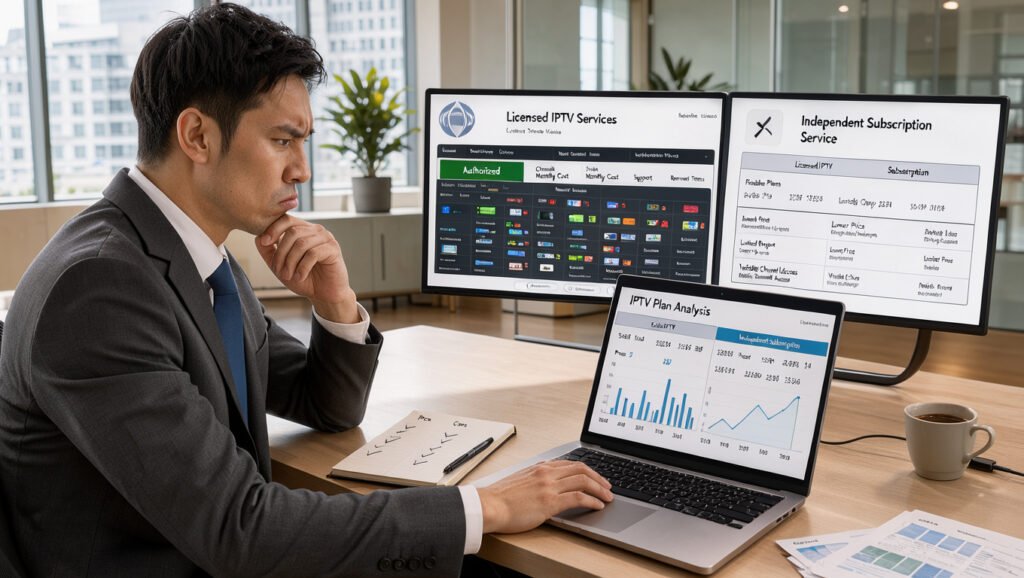
A licensed TV route starts with an authorized broadcaster or pay-TV service. A UK viewer should look for a clear statement that the service operates in the UK, not just a Bulgarian site or a list of international channels.
The service should identify who supplies the television package and how the account works. A known broadcaster may offer its own app, while a pay-TV company may include television with other services. Either way, a stated UK service area helps establish whether the offer is intended for this household.
Independent internet subscriptions
Independent internet subscriptions may promise many channels through an app, portal, or playlist. A low price and a large channel count do not prove that the operator has permission to distribute those programs.
Some independent services may provide clear company details and explain their rights. Others may leave viewers unsure who controls the streams, what happens when access stops, or which support team handles problems. Those unanswered points matter before a customer shares payment or account information.
Compare the type of service, not just its advertised features. An iptv subscription can be convenient, but the word IPTV describes delivery over the internet, not a guarantee of a particular provider’s status.
Choose an independent subscription only when its rights and terms can be checked before payment.
Which Channels Matter in a Bulgaria Package?
Start by checking whether the package names the specific Bulgarian channels and sports feeds the household wants. An IPTV Bulgaria channel list should be compared with the channels and programs people actually watch, not just a headline total.
A channel logo in a menu can be useful, but it does not promise steady access to that feed. Packages can change, and a stream may not carry the same schedule or live programming every day.
Bulgarian news and general channels
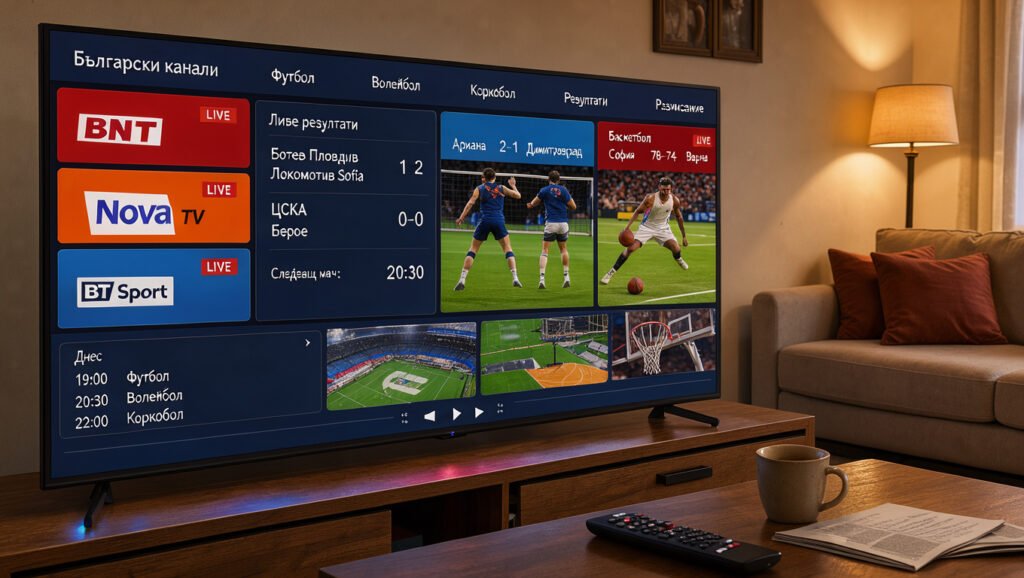
BNT HD, bTV, and NOVA are examples of Bulgarian news and general channels a household may want. Check each name individually rather than assuming that a general Bulgarian package includes every familiar broadcaster.
Names can also appear in different forms across menus, apps, or marketing pages. A displayed channel name does not guarantee consistent availability, and a channel tile may not always open a working live feed.
For a household that follows daily news, the important question is whether the desired channel is available at the times it is normally watched. For families, regular programs and weekend schedules may matter as much as headline coverage.
Sports and international channels
Sports options may include Diema Sport and Ring BG, while international sports examples include Eurosport 1 and Eurosport 2. A label such as “sports” does not say which feeds are included or which events they carry.
Check the exact channel and event rights for the competition or match in question. A package might list a sports feed without offering a particular event, or the event could be unavailable in the UK.
For a mixed household, international channels can add news, sport, and other entertainment. Still, a broad category is not a substitute for checking the actual channel names and schedules.
Confirm the channel’s exact name and live availability before committing to a long subscription.
Live TV, On-Demand Content, and Catch-Up Features
IPTV carries television over an internet connection, while catch-up and on-demand features add ways to watch beyond a live schedule. Live TV plays a channel’s current broadcast, much like television on a set schedule.
Video on demand is a library of programs or movies that viewers select and start when they choose. Catch-up or replay lets viewers watch some programs after their live broadcast, usually for a limited period set by the service or program owner.

An electronic program guide, often shortened to EPG, is an on-screen schedule of channels and programs. It helps viewers see what is playing and what is planned, though the guide may not show every program detail.
Catch-up access and the length of time a program remains available can vary by program and service. Some services also separate a live channel package from their on-demand library, so the presence of one feature does not guarantee the other.
An on-demand title being listed does not establish that its distribution is authorized. For a broader explanation of live television, on-demand libraries, catch-up, and program guides, see this overview of Bulgarian IPTV features.
Check whether catch-up applies to the specific channels and programs that matter.
How to Check IPTV Legality in the UK
IPTV itself is a delivery method, but a service that distributes copyrighted programs without permission can still infringe copyright. The legality depends on the service’s rights to distribute the content, not on whether it uses an app, a box, or an internet connection.
UK providers can block specified IPTV piracy sites or streams, often after legal action. Such blocks target identified sites or streams; they do not make all IPTV technology or licensed services inaccessible.
UK copyright rules
Content rights are permission from copyright holders or authorized distributors to stream a program in a territory. A service serving viewers in the UK needs the relevant permission for the content it offers there.
Bulgaria’s Copyright and Related Rights Act and Radio and Television Act apply to its audiovisual media distribution sector. Their existence does not automatically establish that a particular seller has rights for a UK audience.
Useful details include the identity of the company, its stated service area, and the broadcaster or distributor behind its package. A large catalog, a low monthly fee, or a claim that streams come from around the world cannot replace evidence of rights.
VPNs, ISP blocks, and enforcement
Using a VPN is legal in the UK when VPNs are permitted and the user is not using one for illegal activity. A VPN changes how a device connects to the internet, but it does not change the legal status of copyright infringement.
A coordinated international operation shows that enforcement can reach services operating across networks and countries. The City of London Police joined an operation that shut down illegal streaming services used by millions worldwide.
Investigators analyzed seized data, service traffic, networks, and cryptocurrency transactions to trace an international group. The investigation followed an operation in 2024 that resulted in large volumes of data being seized.
Authorities in nine countries took part in an action day that shut down illegal streaming services. Investigators suspected 31 people of unauthorized pay-TV distribution, illegal access to IT systems, computer fraud, and money laundering.
The suspected group was believed to conceal several million euros per month in illicit revenue through cryptocurrency investments and shell companies. These people were suspects, not people described as convicted.
Some claims promise anonymous viewing or unrestricted access from any country. Neither claim establishes permission to distribute the programs, and a VPN cannot supply missing content rights.
Treat claims of anonymity or unrestricted access as no substitute for evidence of content rights.
Subscription Plans and the Terms to Compare
A shorter plan limits the amount committed before the viewer has checked stability and support. Subscription durations can include 1, 3, 6, and 12 months, but a longer term is not automatically better value.
The total price depends on the chosen term, the access included, and account limits. Before paying, compare the details that affect the household’s real cost and ability to use the service.
- Final price, including any stated fees or taxes.
- Renewal method and whether renewal happens automatically.
- Cancellation process and any refund terms.
- Number of simultaneous streams allowed on one account.
- Support contact and the way customers can reach the team.
Plan length is only one part of the offer. A low headline amount can be less useful if the account allows too few simultaneous streams, the renewal process is unclear, or support cannot be reached when access fails.
Check whether the service describes its cancellation steps in plain language. The route may involve account settings, email, or another stated process, so the customer should know what action ends a recurring payment.
A household that watches on more than one screen should pay attention to simultaneous streams, not just the number of devices that can install an app. Those are different limits, and a service should explain which one applies.
Read the renewal and cancellation terms at checkout, not only the headline plan length.
Set Up IPTV on a TV, Box, or Phone
Before entering subscription details, confirm that the chosen player works with both the service and the device. Common playback targets include Smart TVs, Android boxes, Fire TV Stick, iOS and Android phones or tablets, PCs, and MAG boxes.
A compatible IPTV player is an app or device that plays internet-delivered television streams. The service may use its own app, a supported player, or a login method that works only on certain devices.
Choose an app or player
Named players include VLC, STB Emulator, SS-IPTV, and Perfect Player. Their menus and features differ, and a service may not support every player on every device.
An IPTV Bulgaria APK should only be installed through a verified official distribution route, not an unknown download link. An APK is an Android app installation file, so the installation route matters as much as the app name.
Some services supply account details, while others use a playlist or another login method. Confirm which method the service supports before choosing an app, since a player cannot open a format it does not accept.
Connect and verify playback
Menus and setup steps differ by device, but a basic setup follows the same order:
- Confirm that the service supports the chosen device.
- Install the player that the service supports.
- Enter the supplied login details using the player’s prompts.
- Test one live channel and one on-demand item.
On a Smart TV, the app store and settings may use different labels from those on an Android box or phone. A PC player can also organize playlists differently from a television app.
For device examples and practical player setup ideas, consult this guide to IPTV players and compatible devices. Use the service’s stated login method rather than changing settings at random.
Test playback on the intended household device before relying on it for a live event.
Internet Speed and Stream Quality
A steady connection matters as much as the advertised resolution when a stream needs to play without interruptions. As a practical rule of thumb, allow about 5 Mbps for one HD stream and about 25 Mbps for one 4K stream.
Those figures are starting points for one stream, not a guarantee of picture quality. Multiple simultaneous streams and network congestion raise the bandwidth the household needs.
Available bandwidth is shared with other devices using the same internet connection. A video call, game download, or another television stream can use capacity at the same time and affect playback.
Wi-Fi interference, router placement, and network congestion can cause buffering even when a speed test looks adequate. A router hidden behind furniture or placed far from the streaming device may deliver a weaker signal.
Ethernet is a practical choice when a cable can reach the television or box. If the device relies on Wi-Fi, placing the router closer can help, while 5 GHz Wi-Fi can be useful at short range.
Walls and distance can reduce a 5 GHz signal, so a nearby router does not always solve every connection problem. The resolution setting also cannot make a weak connection steady by itself.
For more background on bandwidth and viewing quality, read this guide to internet needs for IPTV streaming. Run a speed test near the device at the time of day the household usually watches.
Free Bulgarian and Balkan TV Options
Official broadcaster websites and apps are the first places to check for free Bulgarian programs. BNT 1 and BNT 2 are examples to look for when a viewer wants official live or catch-up access.
Online television in Bulgaria can mean official broadcaster streaming, not an unverified playlist. Free availability can be limited by program rights or location, so a live feed may not open for a UK viewer.
Official free-to-view access
Broadcaster websites and apps can offer selected live programs or catch-up without a paid package. The broadcaster’s own service is the clearest place to check whether a program is available at no cost.
Free IPTV in Bulgaria is not automatically authorized; a free playlist can still point to streams that lack permission. Free Bulgarian TV is safest to access through an official broadcaster route, especially when the service clearly identifies the broadcaster.
For example, a viewer can check whether BNT 1 or BNT 2 offers the desired program through an official website or app. Availability may differ between live television and replay, even when both features appear within the same service.
Cross-border availability limits
A feed available in Bulgaria may not be available in the UK. Program rights can restrict where a broadcaster may stream a particular show, film, or event.
That limit can apply to a single program rather than the whole channel. A broadcaster’s homepage may load in the UK while an individual live stream or replay remains unavailable outside Bulgaria.
Households looking for Balkan entertainment can also check official broadcaster services from the relevant country. Each broadcaster sets its own online access, and a channel appearing in a search result does not mean its stream is open in the UK.
Confirm the UK availability of a specific program before planning to watch it live.
What to Test Before Paying for a Subscription?
A short test should confirm the channels, playback, account limits, and support the household will actually use. A representative test is more useful than relying on a feature list alone.
In the UK, the Consumer Contracts Regulations 2013 generally provide a 14-day cancellation period for qualifying distance contracts. An exception can apply when digital content starts with the consumer’s consent and acknowledgment.
- Verify the exact channel list against the household’s priorities.
- Test a representative live stream on the intended device.
- Confirm the account’s simultaneous-stream limits.
- Check support response and cancellation terms.
Do not assume every subscription has an unconditional refund window once digital content starts. The exception depends on the required consent and acknowledgment, so the wording at checkout matters.
Support is part of the service, not a minor detail. A working contact method and a clear response process give customers a way to report a missing stream or account problem.
Keep a copy of the checkout terms and any written confirmation.
Privacy and Reliability Risks With Unofficial Services
An IPTV subscription can create privacy and continuity risks when the operator, app, or source of the streams cannot be verified. Yes, IPTV can be risky when the operator, app, or stream source cannot be verified.
Yes, IPTV can be traced through an IP address, account details, payment records, or service logs, and a VPN does not guarantee anonymity. The information held by an operator or payment service can help connect activity with an account or person.
Privacy and account protection
An IP address can identify a connection, while account details and payment records can identify a customer more directly. Service logs may also record activity linked to an account or device.
A M3U8 playlist is a text-based file format that points a player to streaming media. Importing a playlist does not establish who supplied the streams or whether they are authorized; users are responsible for checking imported content.
Some players accept M3U8 playlists, but the playlist itself does not make the stream private or trustworthy. A service may also ask for personal information without explaining how it handles account data.
Service reliability and consumer recourse
Unverified services can change channel lists suddenly or leave streams unavailable without a clear explanation. Support may be hard to reach, particularly when the operator provides few details about its business.
If an unverified service disappears, customers may lose access to their account or the streams they expected. That loss can be harder to resolve when the seller’s identity and support route are unclear.
A service that works today may still be unreliable during a busy event or after a channel change. Keep account information limited to what is needed, and avoid sharing details with a seller that cannot be identified.
Avoid reusing an important password on an unfamiliar streaming account.
Choose a Subscription That Fits Your Household
The right subscription is the one that meets the household’s viewing needs without obscuring its content rights or account limits. The best IPTV choice for Bulgarian news may differ from one focused on sports or on-demand movies.
A household decision should account for live sports, movies, news, and children’s programming. Rights and a UK service area are separate checks from device compatibility, so a service can fit the screens but still lack appropriate distribution permission.
- Authorized content for the programs the service offers.
- The household’s priority programs and viewing habits.
- Compatible devices and enough simultaneous streams.
- Transparent renewal, cancellation, and support terms.
Someone who mainly watches Bulgarian news may value a different mix than a household following live sports or choosing on-demand movies. Children’s programming can add another requirement, especially when several people watch at once.
Device fit alone does not establish content rights or a UK service area. Those checks remain important even when an app works well on the household’s television and phones.
UK government guidance explains that copyright exceptions apply only in limited situations, and some require fair dealing and sufficient acknowledgment. The government’s copyright exceptions guidance does not determine whether a particular IPTV service has distribution rights.
If any essential term or distribution right cannot be verified, do not commit to a long subscription.
Conclusion
A reliable choice starts with verifiable rights and terms, not a headline channel count. A clear service area, compatible device support, and understandable renewal conditions matter more than a large advertised catalog.
For UK viewers, the practical next step is to select one program that matters and check whether the service names it clearly. That small check can expose a gap between a package’s general promises and the viewing experience a household needs.
Before paying, verify one priority channel, test playback on the intended device, and save the subscription terms.